![proternio-logo-dark-transbkg.png]](https://support.protern.io/hs-fs/hubfs/proternio-logo-dark-transbkg.png?height=40&name=proternio-logo-dark-transbkg.png)
To change your Protern Monthly Pass, you will need to use a web browser.
Note: To change your pass type, you will need to have a valid payment method on file. You can add a credit card in the Payment Info tab.
- Log in to Protern Web at https://app.protern.io
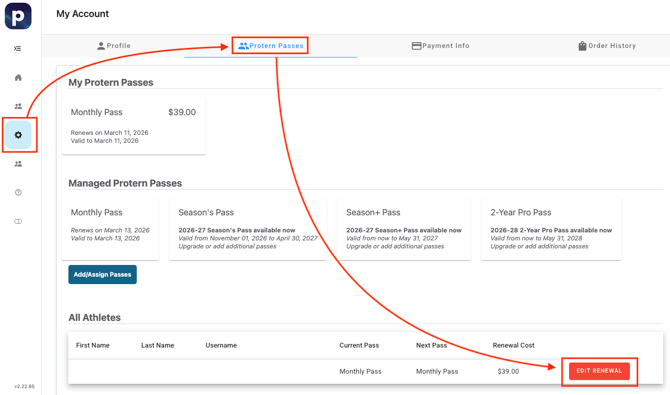
- Click on Settings -> Protern Passes, then scroll down to Edit Renewal for the account you want to upgrade.
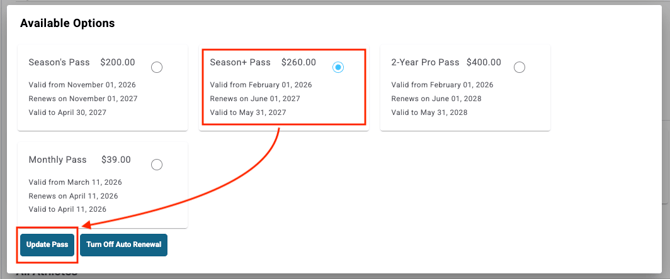
- A window will pop up where you can select the type of pass you would like to change to. Select the pass and click Update Pass.